


 Advertising Disclosure
Oled Monitors Comparison - April 2026



| 1 Best Choice  9.8Exceptional | 2  9.7Exceptional | 3 Best Value  9.5Excellent | 4  9.4Excellent | 5  9.3Excellent | 6  9.2Excellent |
| View DealOn Amazon | View DealOn Amazon | View DealOn Amazon | View DealOn Amazon | View DealOn Amazon | View DealOn Amazon |
Modelmsi MPG 321URX QD-OLED, 32" 4K UHD Quantum Dot OLED Gaming Monitor, 3840 x 2160, 0.03ms, 240Hz, True Black HDR 400, 90W USB Type C, HDMI, DP Port | Model Alienware AW3423DWF Curved QD-OLED Gaming Monitor - 34-inch Quantum Dot OLED 0.1Ms 165Hz 21:9 Curved Display, 99.3% DCI-P3 Color Gamut, VESA DisplayHDR True Black 400, AMD FreeSync Premium Pro - Black | Model Alienware AW2725DF OLED Gaming Monitor - 26.7-inch Quantom-Dot WQHD (2560x1440) 360Hz 0.03Ms Display, AMD FreeSync Premium Pro, HDMI/DP/USB 3.2 Gen1, Height/Tilt/Swivel/Pivot Adjustability - Black | Model AOC Q27G4ZD 27" QD OLED Gaming Monitor, QHD 2560 x 1440, 240Hz 0.03ms, HDMI 2.0 x2, Display Port x2, G-Sync Compatible, Console Gaming Ready, 3-Year Zero-Bright-Dot | Model ASUS ROG Strix 27” 1440P OLED Gaming Monitor (XG27AQDMG) - QHD, Glossy OLED, 240Hz, 0.03ms, Custom Heatsink, Anti-flicker,Uniform Brightness, G-SYNC Compatible, 99% DCI-P3, DisplayWidget, 3yr warranty | Model LG 27GS93QE 27-inch Ultragear OLED Gaming Monitor QHD 1440p 240Hz 0.03ms DisplayHDR True Black 400 AMD FreeSync Premium Pro NVIDIA G-Sync HDMI 2.1 DisplayPort Tilt/Height/Pivot Stand Black |
Brandmsi | Brand Alienware | Brand Alienware | Brand AOC | Brand ASUS | Brand LG |
Reviews | Reviews | Reviews  | Reviews | Reviews | Reviews - |
Tech Specs | |||||
color Black | color Black | color Black | color Black | color BLACK | color Black |
item weight 28.3 pounds | item weight 20.5 pounds | item weight 13.89 pounds | item weight 21.7 pounds | item weight 14.8 pounds | item weight 14.8 Pounds |
product dimensions 28 x 9.5 x 19 inches | product dimensions 32.1 x 12 x 20.7 inches | product dimensions 9.59 x 23.98 x 15.99 inches | product dimensions 9.45 x 23.99 x 21.17 inches | product dimensions 8.6 x 23.8 x 20 inches | product dimensions - |
standing screen display size 32 | standing screen display size 34 Inches | standing screen display size 27 Inches | standing screen display size 27 Inches | standing screen display size 26.5 Inches | standing screen display size - |
screen resolution 3840x2160 | screen resolution 3440x1440 | screen resolution 2560x1440 | screen resolution 2560x1440 | screen resolution 2560x1440 | screen resolution - |
item dimensions lxwxh 28 x 9.5 x 19 inches | item dimensions lxwxh 32.1 x 12 x 20.7 inches | item dimensions lxwxh 9.59 x 23.98 x 15.99 inches | item dimensions lxwxh 9.45 x 23.99 x 21.17 inches | item dimensions lxwxh 8.6 x 23.8 x 20 inches | item dimensions lxwxh - |
max screen resolution 3840 x 2160 | max screen resolution 165 Hz | max screen resolution 360 Hz | max screen resolution 2560 x 1440 Pixels | max screen resolution 2560 x 1440 Pixels | max screen resolution - |
voltage- | voltage 240 Volts AC | voltage 240 Volts AC | voltage - | voltage - | voltage 230 Volts |
Available On   | Available On  | Available On | Available On | Available On  | Available On  |
Our Top 3 Picks
Here are the top 3 recommended products with more information to help you find the right product for you 9.8
1msi19% Off
9.8
1msi19% Offmsi MPG 321URX QD-OLED, 32" 4K UHD Quantum Dot OLED Gaming Monitor, 3840 x 2160, 0.03ms, 240Hz, True Black HDR 400, 90W USB Type C, HDMI, DP Port
Why we love it
 Stunning 4K visuals with vibrant colors.
Smooth gaming with 240Hz refresh rate.
Convenient KVM switch for easy connectivity.
Main highlights
Stunning 4K visuals with vibrant colors.
Smooth gaming with 240Hz refresh rate.
Convenient KVM switch for easy connectivity.
Main highlights- VESA DisplayHDR True Black 400 certified
- OLED Care 2.0 & MSI Gaming Intelligence AI
- KVM supported with PiP/PbP & Console Mode
- High 240Hz refresh rate, ultra-low 0.03ms GtG response time
- HDMI 2.1, DP 1.4a & USB Type-C display ports
- 4-Way adjustable stand & Mystic Light
- 31.5" UHD (3840 x 2160) QD-OLED panel
- 1.07 billion colours (10-bit) with incredible gamut (DCI-P3 99%) & accuracy (ΔE ≤2)
-
9.7
2Alienware
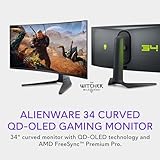
Alienware AW3423DWF Curved QD-OLED Gaming Monitor - 34-inch Quantum Dot OLED 0.1Ms 165Hz 21:9 Curved Display, 99.3% DCI-P3 Color Gamut, VESA DisplayHDR True Black 400, AMD FreeSync Premium Pro - Black
Why we love it
Vibrant colors with true blacks.
Smooth, stutter-free gaming.
Perfect for color-critical tasks.
Main highlights- STUTTER-FREE SPEED: Experience ultra-low latency gameplay, support for HDR and cinematic color, plus smooth, tear-free gaming thanks to AMD FreeSync Premium Pro Technology and VESA AdaptiveSync Display certification.
- QUALITY ASSURANCE GUARANTEED: The new Alienware 34 Curved QD-OLED Gaming Monitor comes with improved OLED reliability and a 3-year premium warranty, including coverage for OLED burn-in, for additional peace of mind.
- INFINITELY IMMERSIVE: Quantum Dot Display Technology enables a slim panel design and delivers a superior color performance with a higher peak luminance and greater color gamut range vs WOLED (White OLED) by taking the impressive qualities of OLED (such as true blacks & infinite contrast ratio) and enhances color performance by directly converting blue light into the primary colors of red and green through a Quantum Dot pixel layer.
- IMPECCABLE DESIGN: The jaw-dropping new design features a sleek QD-OLED curved 1800R panel integrated into the iconic new Legend 2.0 ID, plus customizable RGB AlienFX lighting, 360° ventilation for better heat dissipation, improved cable management and a new centralized OSD 5-Axis joystick to make adjusting your settings easier. The height adjustable stand with height markers and the tilt, swivel, and slant capabilities allow for easy viewing adjustment.
- FOR CRITICAL CREATING: For content creators and game developers who require precise color-critical work, the new Creator Mode feature was designed for you. This OSD menu option allows you the flexibility to choose between the native (DCI-P3) and the sRGB color space, depending on your work needs, and the ability to adjust the gamma settings.
-
9.5
3Alienware23% Off
Alienware AW2725DF OLED Gaming Monitor - 26.7-inch Quantom-Dot WQHD (2560x1440) 360Hz 0.03Ms Display, AMD FreeSync Premium Pro, HDMI/DP/USB 3.2 Gen1, Height/Tilt/Swivel/Pivot Adjustability - Black
Why we love it
Stunning color and clarity.
Ultra-fast refresh rate.
Ergonomic and stylish design.
Main highlights- QD-OLED technology enables stunningly rich color and clarity, while QHD resolution (2560x1440) provides high level of detail.
- Infinite contrast ratio and VESA DisplayHDR True Black 400 make for deep blacks and stunning brights, all in the same scene.
- Excellent color performance with DCI-P3 99.3% color coverage and Delta E<2 accuracy for true-to-life visuals.
- AMD FreeSync Premium Pro and VESA AdaptiveSync for tear-free, stutter-free visuals.
- 360Hz refresh rate translates to superb motion clarity, empowering players to see and react to in-game situations at high speed.
- 0.03 ms gray-to-gray minimum response time** virtually eliminates blurring and ghosting and keeps latency to an absolute minimum.




Oled Monitors Buyer's Guide
 Written by Jim Williams
Introduction to OLED Monitors
Organic Light-Emitting Diode (OLED) monitors are a type of display technology that offer superior picture quality compared to traditional LCD displays. OLED monitors are thinner, lighter, and consume less power than LCDs, while also providing better contrast and wider viewing angles. The technology also allows for deeper blacks and higher peak brightness, giving OLED monitors a more vibrant and dynamic image. OLED monitors are a great choice for gaming, video editing, photo editing, and general entertainment use.
Types of OLED Monitors
OLED monitors are typically divided into two categories: OLED TVs and OLED computer monitors. OLED TVs are larger, with screen sizes ranging from 40 to 85 inches. OLED computer monitors, on the other hand, have smaller screen sizes, ranging from 17 to 27 inches. Both types offer superior picture quality and are available in a variety of resolutions, from full HD (1920 x 1080) to 4K (3840 x 2160).
Screen Size
OLED monitors come in a variety of screen sizes, from 17 to 27 inches. When deciding on the right size for you, consider how close you will be sitting to the monitor and what you will be using it for. For general entertainment use, it’s recommended to get a monitor with at least a 27-inch screen size. For gaming and video editing, you can go with a smaller size, like a 24-inch. It’s important to keep in mind that the bigger the screen size, the more expensive the monitor will be.

Resolution
The resolution of the OLED monitor is another important factor to consider. OLED monitors are available in a range of resolutions, from Full HD (1920 x 1080) to 4K (3840 x 2160). For general entertainment purposes, a Full HD resolution is sufficient, but for gaming and video editing, it’s recommended to go with a 4K resolution for the best picture quality. Keep in mind that 4K OLED monitors are more expensive than Full HD ones.
Refresh Rate
The refresh rate of the OLED monitor is also an important factor to consider. The refresh rate is measured in Hertz (Hz), and it determines how many times the monitor refreshes the image on the screen per second. A higher refresh rate means a smoother, more responsive image. OLED monitors typically have a refresh rate of 60Hz or higher. It’s recommended to go with a monitor with a higher refresh rate for gaming and video editing.
Other Features
OLED monitors also offer a variety of other features, such as built-in speakers, a USB port, and HDMI ports. It’s important to consider these features when choosing the right monitor for you. For example, if you plan on connecting external speakers or a gaming console, then you’ll need at least one HDMI port. If you plan on connecting a laptop or tablet, then you’ll need at least one USB port. Make sure to check the specs of the monitor to ensure it has all the features you need.


Our ranking system
At bestchoice.com, our team curates a selection of top products from a vast array available online, using a sophisticated ranking system based on carefully defined criteria.While traditional hands-on testing has its merits, our use of AI technology offers distinct advantages. AI allows us to process and analyze vast amounts of data from multiple sources, providing a comprehensive view that goes beyond what manual testing can achieve. This approach enables us to deliver insights that are aligned with current trends and consumer preferences, ensuring our reviews are both relevant and up-to-date.
Features
Our AI-driven analysis examines key attributes, capabilities, and other critical factors tailored to each product category. This method allows us to assess effectiveness from various perspectives, ensuring a well-rounded evaluation.
Consumer Reviews
We aggregate and evaluate consumer feedback from across the internet, giving weight to ratings and reviews that reflect the most reliable insights. AI enhances this process by filtering and prioritizing data, offering a balanced view without the need for direct personal endorsements.
Popularity
Our system also considers the popularity of products, analyzing factors such as market presence, reputation, and user satisfaction. By leveraging AI, we capture a comprehensive picture of a product's standing in the market, which may not always be evident through traditional testing.
Value for money
AI allows us to compare products based on attributes like price, specifications, and user feedback, helping to determine their value for money. This data-driven approach offers an efficient and reliable way to assess how products stack up against one another in terms of cost-effectiveness.

